
Help · Guides
Creating your account
8 steps · about 2 minutes
Click "Get Started Free" from the home page

Fill in your name, email, and password
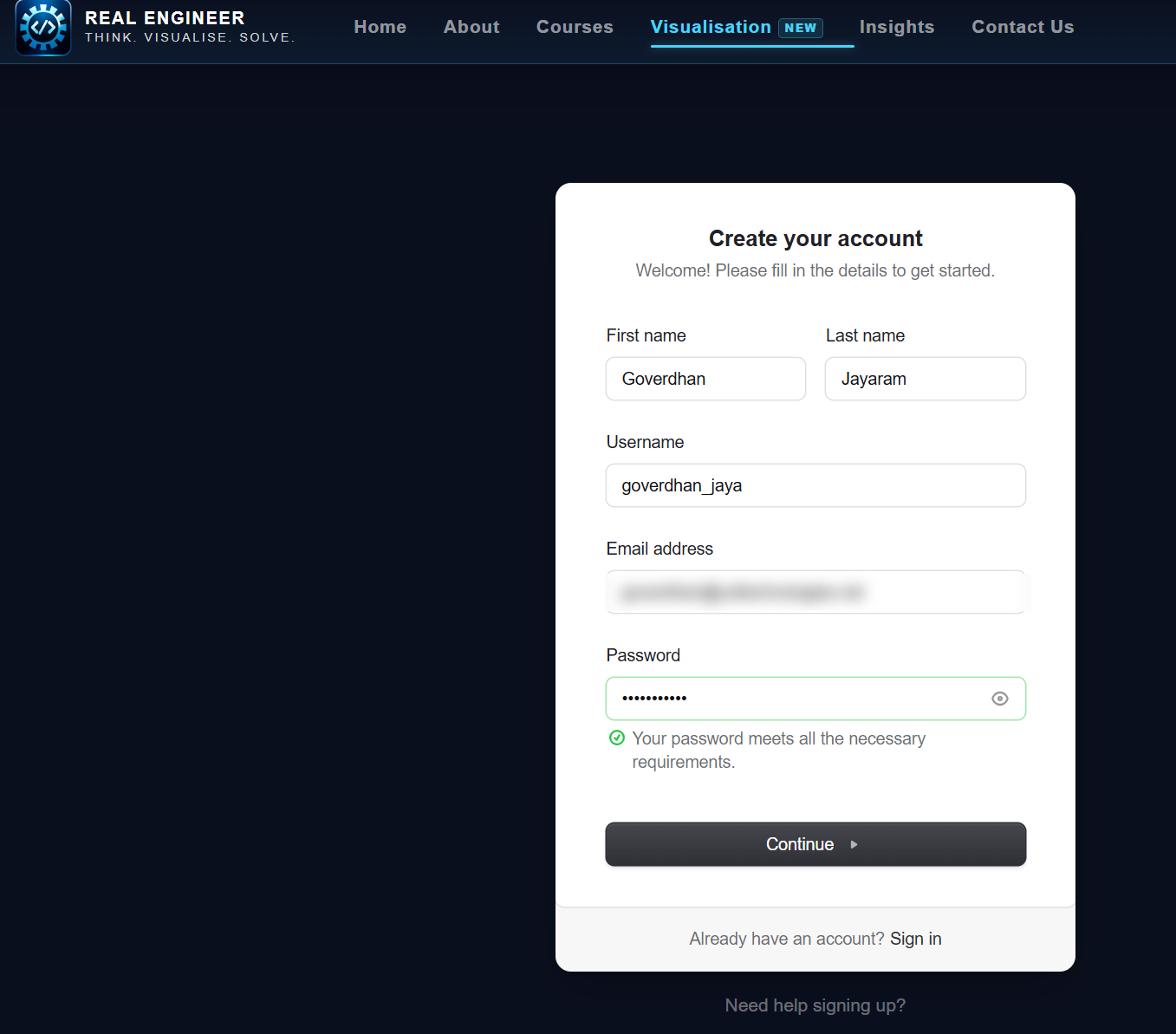
Use an email you check regularly — verification and course updates go there.
Enter the verification code sent to your email
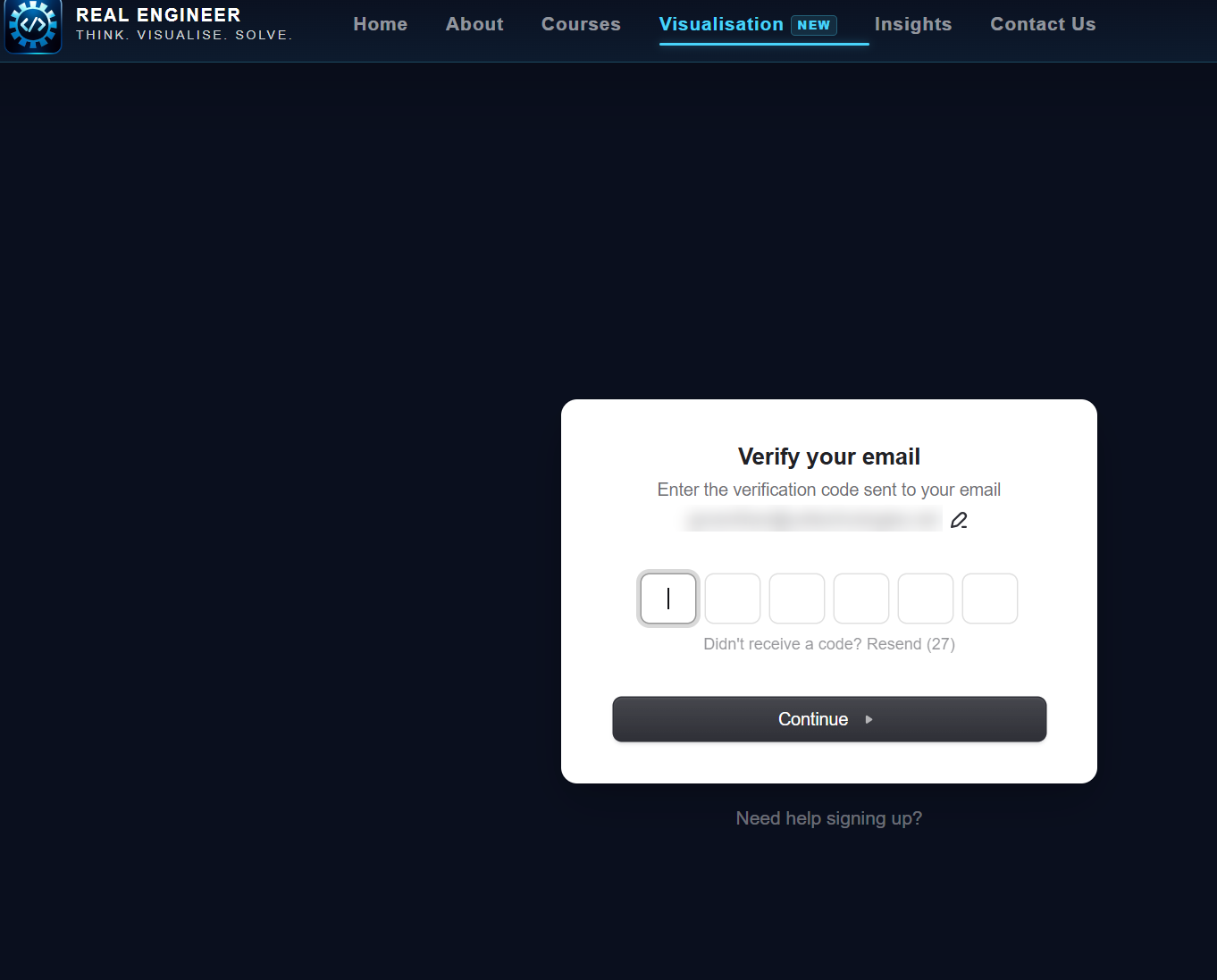
Check spam if it doesn't arrive in a couple minutes, then click Continue.
Tell us where you are in your education
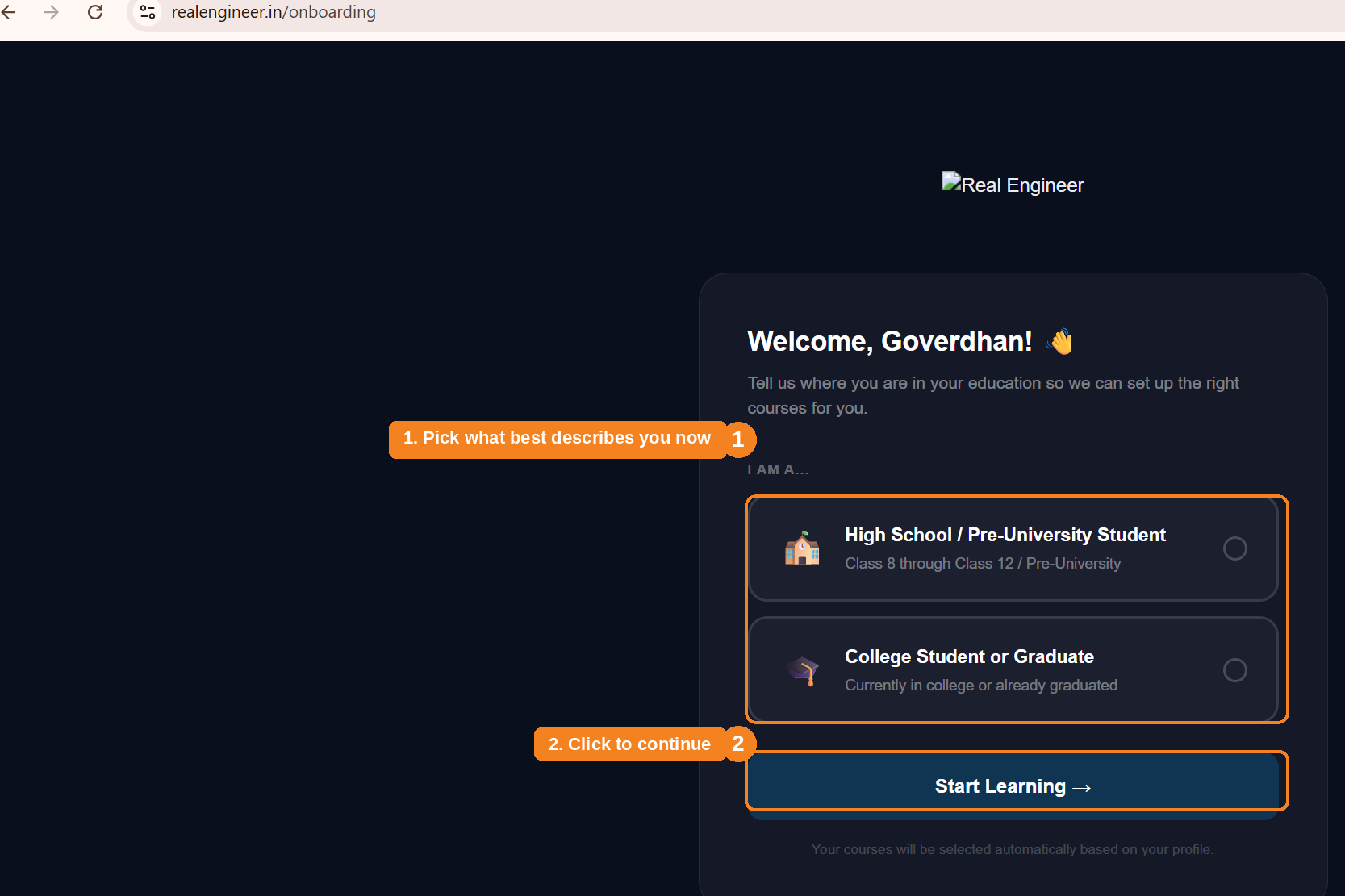
This sets up the right course track for you. What comes next depends on which you pick.
High school / pre-university — pick your class
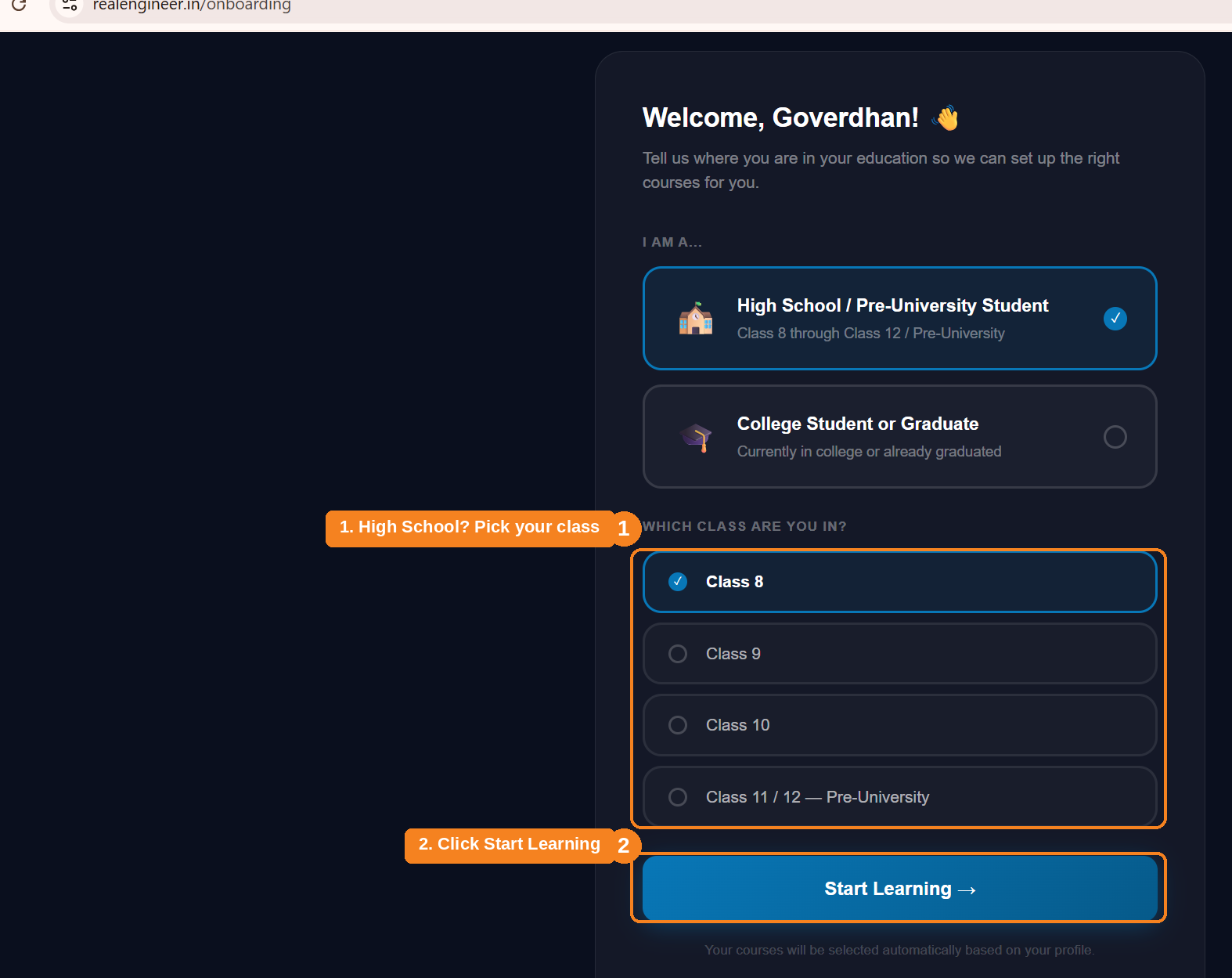
Only shown if you picked High School / Pre-University above. Click Start Learning once you've made your selections — it takes a few seconds to set up your courses.
College student or graduate — pick your stage
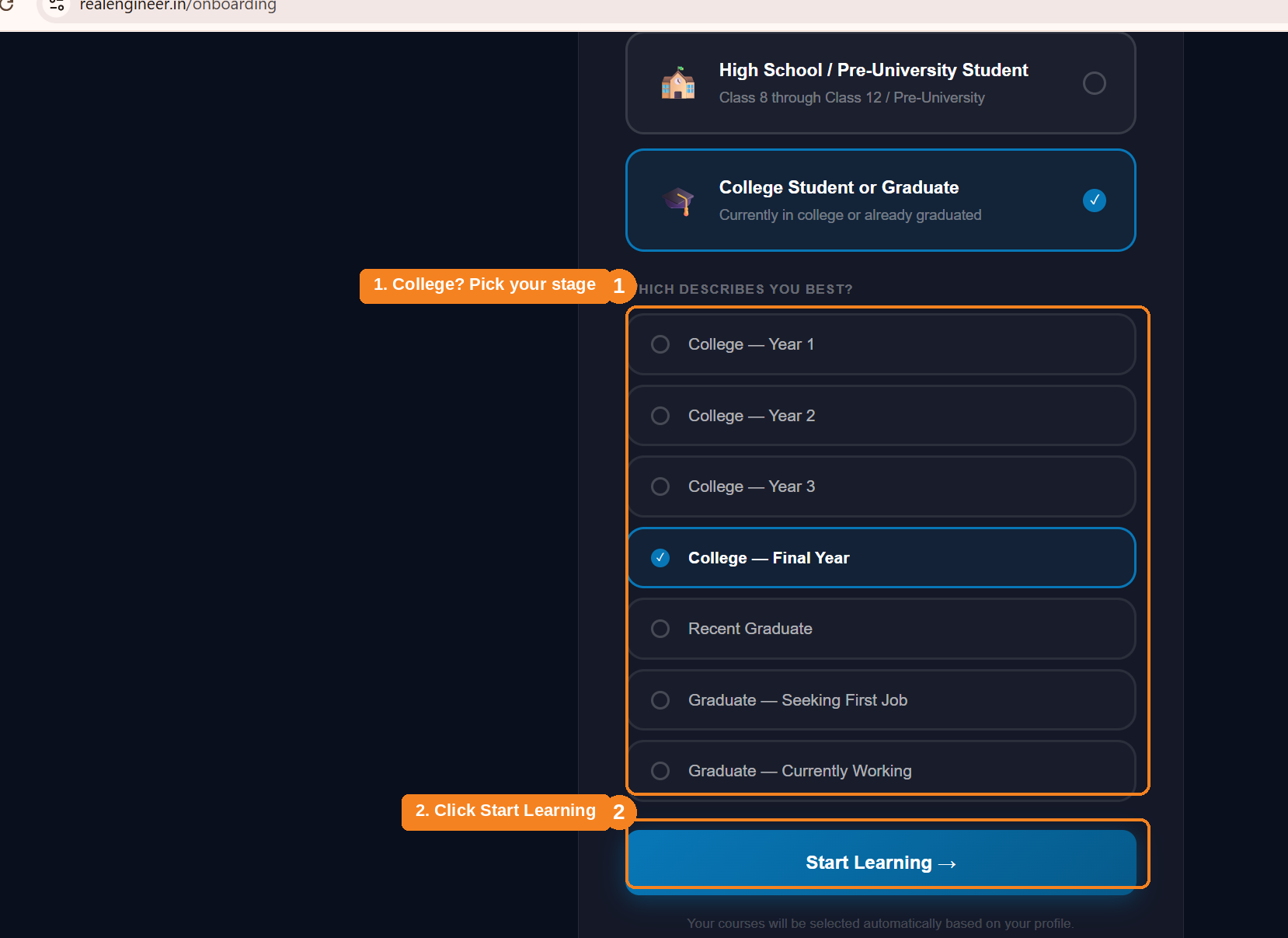
Only shown if you picked College Student or Graduate above. Click Start Learning once you've made your selection.
You're all set
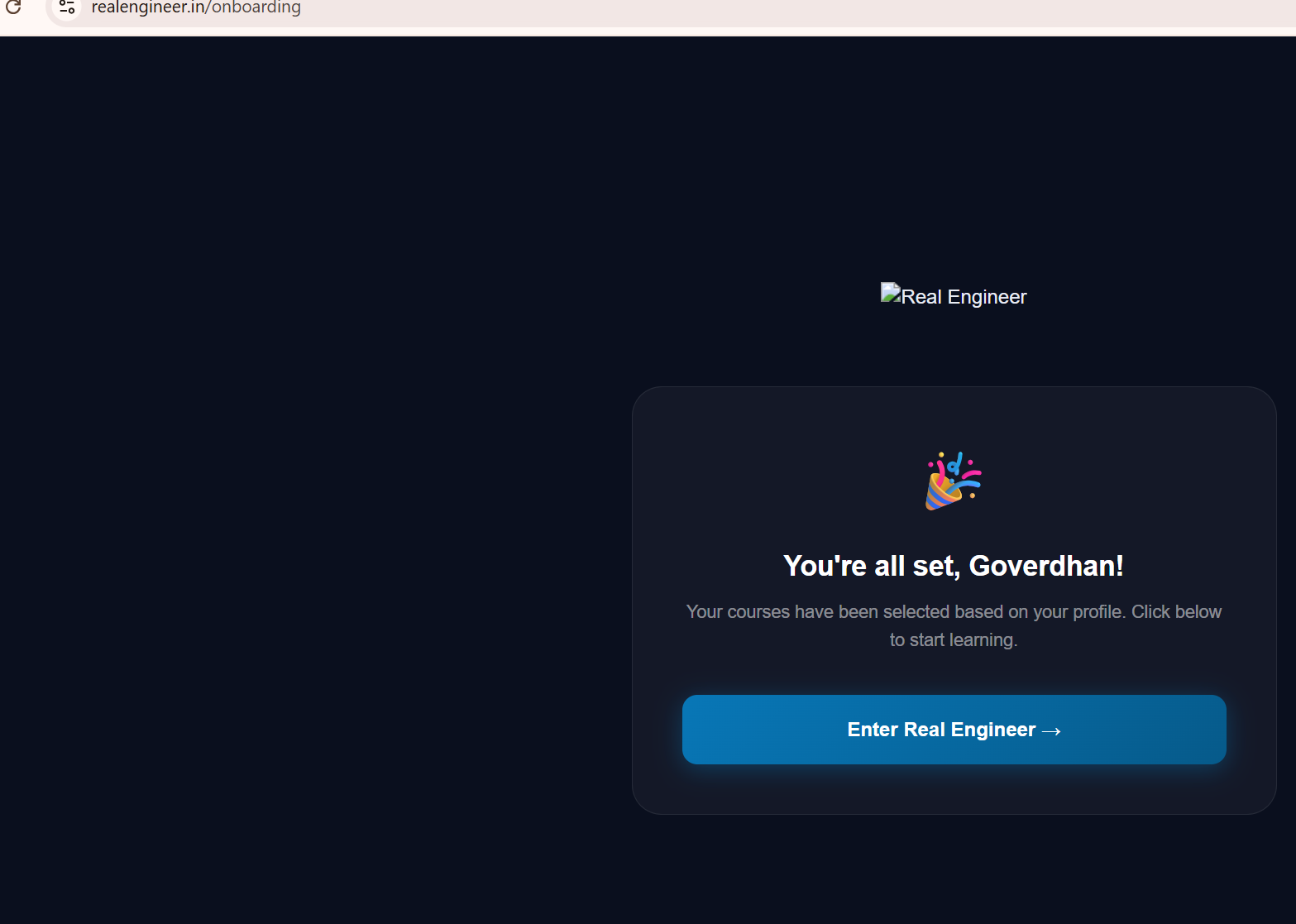
Click "Enter Real Engineer" to go to your dashboard.
Land on your personalised dashboard
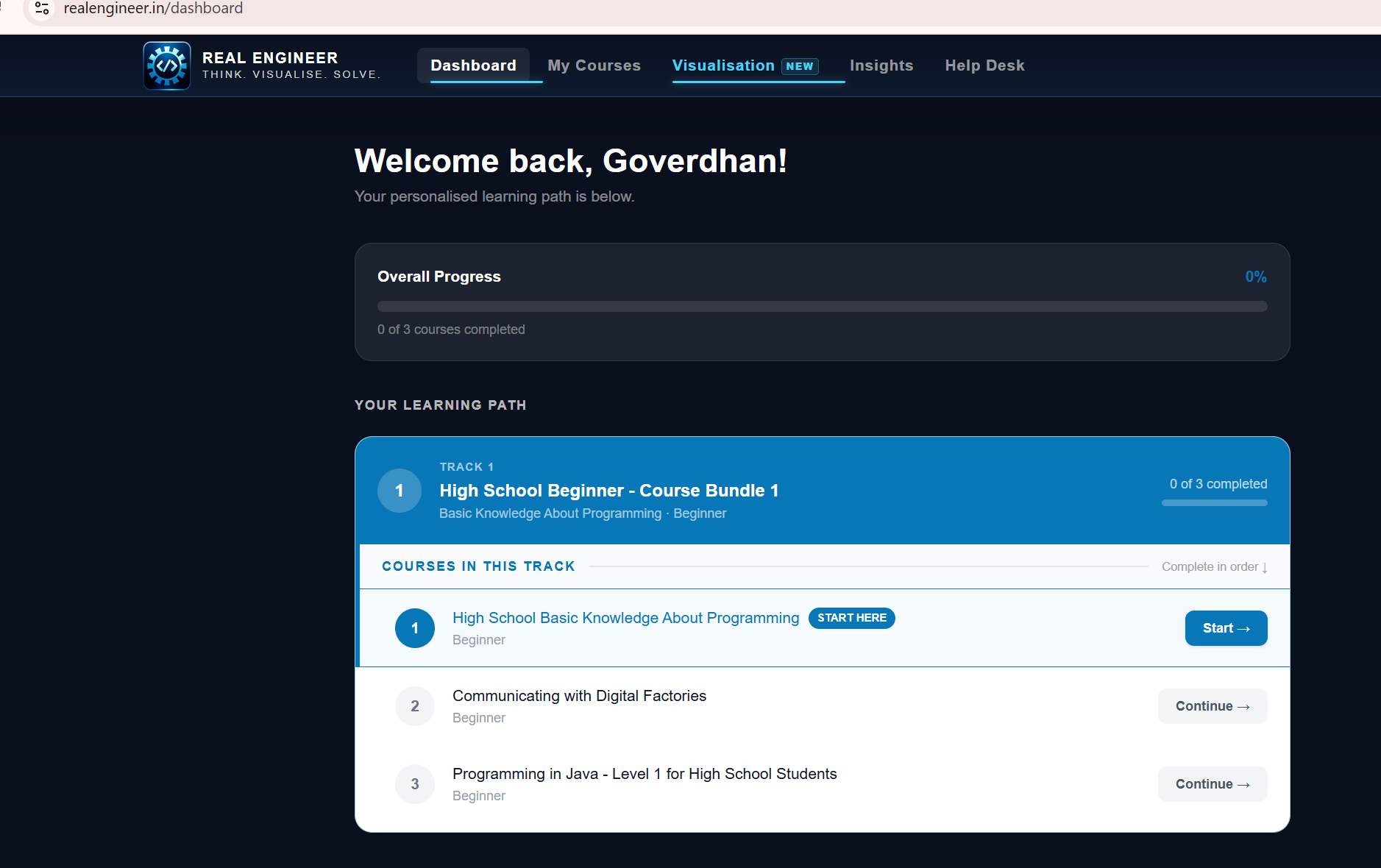
We've got a separate guide covering the dashboard itself in more detail.